Multimodal RAG Explained: How AI That Sees and Hears Transforms Search
Multimodal RAG: Why Your Data Should “See” and “Hear”
Key Takeaways
- Multimodal RAG enables AI systems to process and retrieve text, images, audio, and video together in a single query.
- Models like Gemini Embedding 2 unlock deeper semantic understanding across different data formats.
- Vector databases such as Pinecone allow efficient storage and retrieval of multimodal embeddings.
- Semantic search becomes more powerful when AI understands visual and contextual relationships, not just text.
- Businesses can build smarter applications—from visual search tools to AI-powered quoting systems—using multimodal pipelines.
What If Your Data Could Actually Understand the World?
You upload a product image and ask, “What’s wrong with this?”
Instead of guessing based on text descriptions, the AI looks at the image, compares it to thousands of similar cases, and gives you an accurate answer—instantly.
No manuals. No searching. No back-and-forth.
That’s not science fiction anymore.
It’s the reality of Multimodal RAG (Retrieval Augmented Generation)—and it’s quietly making traditional text-only AI systems obsolete.
For designers, developers, and e-commerce teams, this shift isn’t just technical. It’s transformational.
The Problem: Text-Only AI Is Limiting Real Understanding
Most AI systems today rely heavily on text-based knowledge retrieval.
Even advanced systems using semantic search and vector databases are often limited to written content.
Here’s where things break down:
- A product issue is visual—but the AI only reads text
- A tutorial requires diagrams—but the AI gives paragraphs
- A customer uploads a photo—but the system can’t interpret it
For UI/UX designers and developers, this creates frustrating user experiences.
For e-commerce businesses, it leads to:
- Higher support tickets
- Slower customer resolution
- Lower conversion rates
In simple terms: text-only AI doesn’t match how humans understand the world.
We don’t just read.
We see, hear, and interpret context.
The Shift: Multimodal RAG Changes Everything
Multimodal RAG allows AI systems to process and retrieve multiple types of data simultaneously.
Using models like Gemini Embedding 2, AI can:
- Understand relationships between text and images
- Match visual patterns across datasets
- Retrieve relevant media alongside answers
Instead of returning just text, AI can deliver:
- diagrams
- screenshots
- videos
- contextual explanations
All in one response.
This is powered by vector databases like Pinecone, where embeddings from different data types live in a unified searchable space.
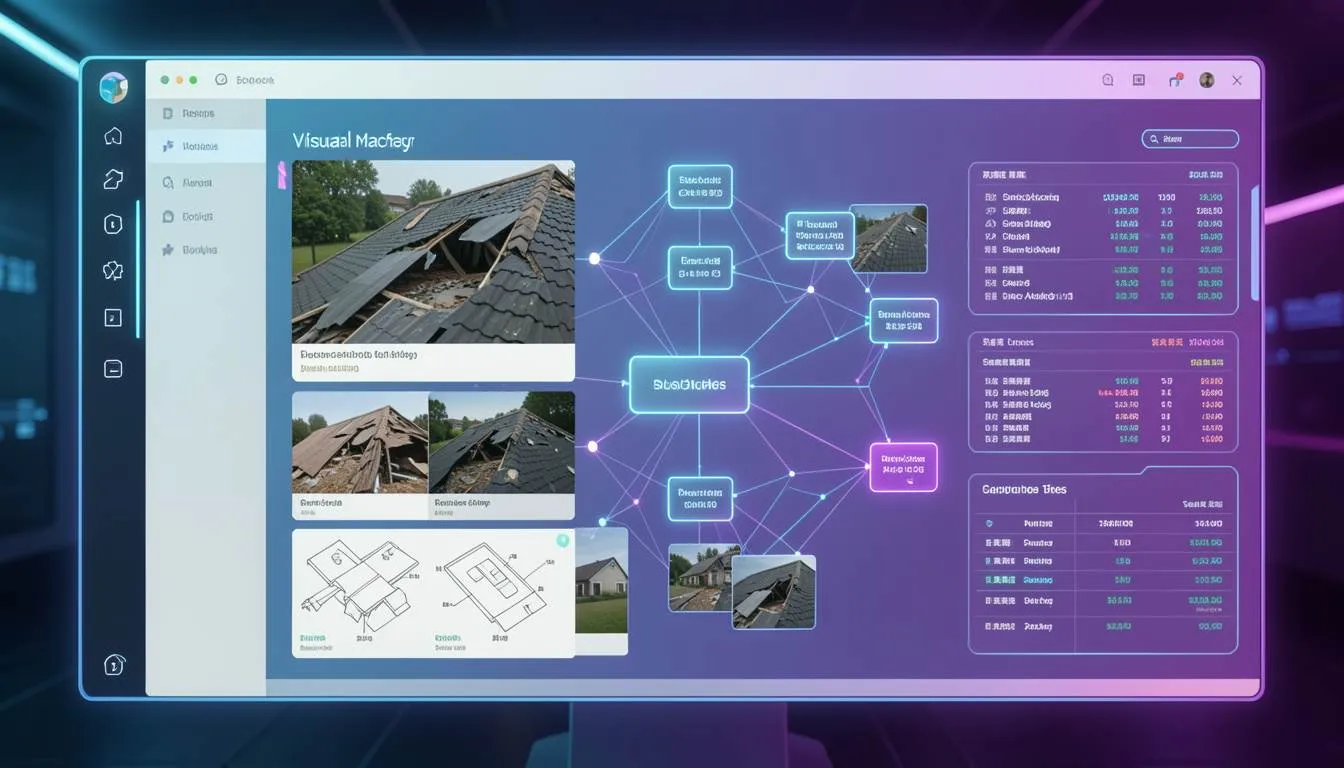
Case Study: Nate Herk’s Roofing App
A developer named Nate Herk built a powerful example of Multimodal RAG in action.
He created an app for a roofing company using Gemini Embedding 2.
Here’s how it works:
- A user uploads a photo of a damaged roof
- The AI analyzes the image visually
- It searches a database of past projects using visual similarity
- It retrieves metadata such as:
- repair cost
- team size
- estimated timeline
Within seconds, the system provides a data-backed quote.
No manual inspection.
No guesswork.
This is semantic search at a completely new level—where AI doesn’t just read data, it understands it visually.
Platforms like SaaSNext (https://saasnext.in/) are helping businesses adopt similar AI-driven systems, enabling smarter automation across marketing, product, and operations.
How to Build a Multimodal RAG System
If you’re a developer or product team looking to implement this, here’s a practical roadmap.
1. Collect Multimodal Data
Start with diverse datasets:
- product images
- instructional videos
- user manuals
- audio transcripts
For e-commerce, product visuals and support content are especially valuable.
2. Generate Embeddings with Gemini Embedding 2
Use Gemini Embedding 2 to convert all data types into embeddings.
This ensures:
- text queries can match images
- images can retrieve related text
- videos can be indexed contextually
3. Store Data in a Vector Database
Use platforms like Pinecone to store embeddings.
These databases allow:
- fast similarity search
- scalable indexing
- real-time retrieval
4. Build a Retrieval Pipeline
Your Multimodal RAG pipeline should:
- Convert user input into embeddings
- Retrieve the most relevant multimodal content
- Combine results into a structured response
This is the core of Retrieval Augmented Generation.
5. Optimize for Real Use Cases
Focus on practical applications:
- visual product search
- AI-powered customer support
- automated diagnostics
- interactive learning systems
For deeper insights into AI automation strategies, explore this guide:
https://saasnext.in/
Why This Matters for Designers and Developers
Multimodal RAG isn’t just a backend upgrade.
It fundamentally changes user experience design.
For UI/UX designers:
- Interfaces become more intuitive
- AI responses feel more human-like
- Visual context improves clarity
For front-end developers:
- New UI patterns emerge (image-based queries, visual responses)
- Real-time AI interaction becomes richer
For e-commerce teams:
- Customers can search using images
- Product discovery becomes easier
- Support becomes faster and more accurate
Companies adopting AI automation platforms like SaaSNext are already leveraging these capabilities to improve engagement and conversion rates.
The Future: AI That Understands Like Humans
We’re entering a phase where AI doesn’t just process data.
It interprets context across multiple senses.
In the near future:
- Search will be multimodal by default
- Knowledge bases will include rich media
- AI assistants will respond with the most useful format—not just text
This shift will redefine how users interact with digital systems.
Stop Building Blind AI Systems
Text-only AI systems are no longer enough.
If your data can’t “see” or “hear,” it’s missing critical context.
Multimodal RAG changes that by enabling AI to understand the world the way humans do—through a combination of visual, textual, and contextual signals.
For developers, designers, and e-commerce businesses, this is a massive opportunity.
The sooner you adopt multimodal systems, the sooner you can deliver smarter, faster, and more intuitive user experiences.
If you’re exploring how to implement AI-driven workflows and advanced automation, platforms like SaaSNext can help you get started faster.
If this article gave you new ideas, consider sharing it with your team or subscribing for more insights on AI, design systems, and next-generation development.