Multimodal RAG Explained: How Gemini Embedding 2 Is Transforming AI Knowledge Bases
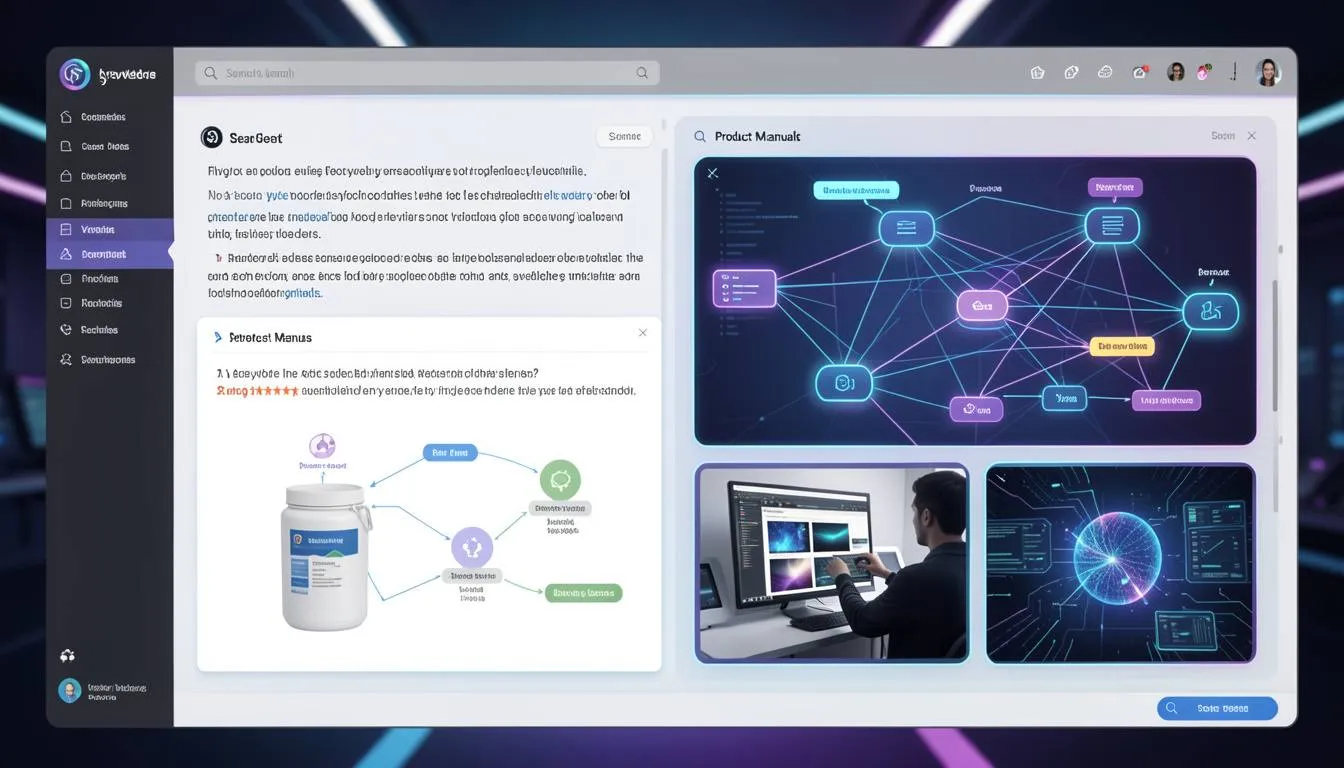
Multimodal RAG: The Death of Text-Only AI Knowledge Bases
Key Takeaways
- Multimodal RAG allows AI systems to retrieve and understand text, images, audio, and video from a single knowledge base.
- Google's Gemini Embedding 2 model enables truly multimodal vector search across complex datasets.
- Vector databases like Pinecone make it possible to store and retrieve embeddings efficiently for real-time AI responses.
- Multimodal Retrieval Augmented Generation improves customer support, UX design, and e-commerce product education.
- Businesses can serve diagrams, screenshots, and visual instructions directly within AI responses instead of long text explanations.
The Moment Text Answers Stop Being Enough
Imagine asking an AI assistant how to clean a vacuum filter.
Instead of showing you the exact diagram from the manual, it replies with a long block of text explaining the steps.
You read it. Twice.
Still confused.
So you scroll through a 60-page PDF manual looking for the diagram that would have explained everything in five seconds.
This is the biggest limitation of traditional AI knowledge bases.
They understand text—but not the visual context humans rely on.
For designers, developers, and e-commerce teams, this gap becomes painfully obvious when building AI-powered product assistants or support bots.
Customers don’t just want answers.
They want visual clarity.
And that’s exactly where Multimodal RAG is changing the game.
The Problem with Text-Only AI Knowledge Bases
Most Retrieval Augmented Generation systems were originally designed for text.
They work like this:
- Documents are converted into embeddings
- Stored inside vector databases
- Retrieved when users ask questions
The problem?
These systems usually ignore non-text information like:
- Diagrams
- Product images
- Interface screenshots
- Instructional videos
For UI/UX designers and front-end teams building AI features, this creates frustrating limitations.
Consider a typical e-commerce help center.
A user asks:
"How do I install this product?"
A text-only AI assistant might return a paragraph explanation.
But what users actually need is:
- A diagram
- A step-by-step visual guide
- Or a short tutorial clip
Without multimodal retrieval, AI knowledge systems miss the most useful context.
The result?
- Confusing support experiences
- Higher support ticket volumes
- Poor product education
For growing online stores, this can directly impact conversion and retention.
The Breakthrough: Multimodal RAG
Multimodal RAG (Retrieval Augmented Generation) solves this problem by allowing AI systems to retrieve multiple types of data from a single knowledge base.
With models like Gemini Embedding 2, AI can understand relationships between:
- Text
- Images
- Audio
- Video
Instead of searching only through written content, the AI retrieves the most relevant media asset for a question.
This dramatically improves answer quality.
Vector databases such as Pinecone make this possible by storing embeddings for different content formats in the same searchable space.
For developers building AI-powered applications, this creates an entirely new design pattern for knowledge systems.
Case Study: The 68-Page Vacuum Manual
A developer named Nate ran a fascinating experiment.
He uploaded a 68-page vacuum cleaner manual filled with diagrams, technical explanations, and troubleshooting instructions into a vector database.
Instead of only indexing text, the system embedded both visual diagrams and written instructions.
When users asked questions like:
"How do I clean the vacuum filter?"
The AI didn't just respond with text.
It retrieved and displayed the exact diagram from the manual showing the filter removal process.
What normally required reading multiple pages became a single visual answer.
For product companies and e-commerce brands, this kind of experience can dramatically reduce support friction.
Platforms like SaaSNext (https://saasnext.in/) are helping businesses integrate intelligent AI agents capable of delivering these advanced support and product guidance experiences.
How to Build a Multimodal RAG System
If you're a developer or product team exploring AI-powered support systems, implementing Multimodal RAG involves a few key steps.
1. Collect Multimodal Content
Start by gathering different types of content from your knowledge base:
- Product manuals
- UI screenshots
- tutorial videos
- diagrams and charts
For e-commerce stores, product setup guides are especially valuable.
2. Generate Multimodal Embeddings
Using models like Gemini Embedding 2, convert all content types into embeddings.
This allows text queries to match with visual or audio assets.
3. Store Embeddings in a Vector Database
Use scalable vector databases like Pinecone to store and retrieve embeddings quickly.
These systems are optimized for high-speed similarity search.
4. Build a Retrieval Pipeline
When a user asks a question, the system should:
- Convert the query into an embedding
- Retrieve the most relevant multimodal content
- Combine retrieved data with LLM responses
This is the core of Retrieval Augmented Generation.
Why Multimodal RAG Matters for E-Commerce and Product Teams
For UI/UX designers and front-end developers, Multimodal RAG unlocks powerful new user experiences.
Instead of static help centers, companies can build interactive AI support systems that respond with:
- diagrams
- screenshots
- visual troubleshooting guides
This reduces user frustration while improving product understanding.
Companies adopting AI-powered marketing and support agents are already exploring these possibilities.
Platforms like SaaSNext are helping teams implement AI-driven automation across marketing, support, and product workflows.
If you're interested in deeper insights about AI automation strategies, this guide offers a helpful overview:
The Future of AI Knowledge Systems
The shift toward multimodal AI is accelerating.
Soon, knowledge bases won't just answer questions—they'll deliver the most useful format of information automatically.
Sometimes that will be text.
Other times it will be a diagram, screenshot, or video snippet.
For businesses building AI assistants today, this evolution represents a major opportunity.
Because the companies that move beyond text-only AI will create far more intuitive customer experiences.
AI Knowledge Is Becoming Visual
For years, AI knowledge systems relied heavily on text.
But humans rarely learn that way.
We understand ideas faster through visual context and demonstrations.
Multimodal RAG bridges this gap by enabling AI to retrieve the right combination of text and media for every question.
For developers, designers, and e-commerce teams, this means building AI assistants that feel closer to real human guidance.
If you're exploring how AI agents and automation systems can transform digital experiences, platforms like SaaSNext are helping teams adopt these technologies faster.
If this article helped you understand the future of AI knowledge systems, consider sharing it with your team or subscribing for more insights on AI development, automation, and modern product experiences.