Why Your Business Needs a "Local LLM" (And How to Set One Up This Week)
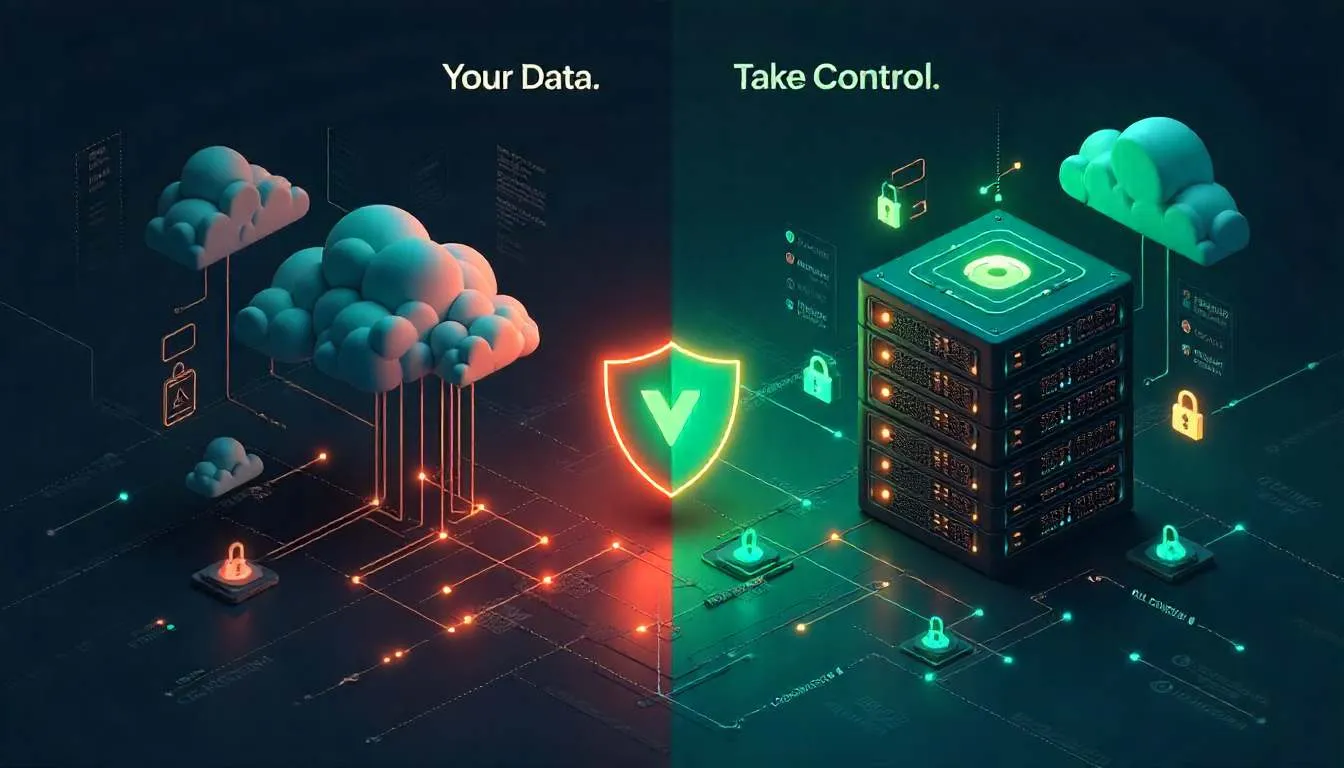
Your legal team just sent an urgent email with the subject line: "AI Data Breach Exposure Assessment."
Your company has been using ChatGPT Enterprise, Claude for Work, and various AI tools for 8 months. Productivity is up 40%. Everyone loves it.
But your lawyers just calculated the potential liability if OpenAI, Anthropic, or any AI provider experiences a data breach exposing the proprietary information, customer data, and strategic documents your team has been feeding into their systems.
The number has seven figures. Before the decimal point.
Your CISO is asking uncomfortable questions: "Do we really know where our data goes? Can we prove it's not being used to train models? What happens if a provider gets subpoenaed for our queries?"
Welcome to the conversation every CTO, IT manager, and privacy-conscious founder is having right now.
The same AI capabilities that are transforming productivity are creating existential risks around data sovereignty, compliance, and competitive intelligence. You're caught between the productivity gains everyone demands and the security nightmares keeping your legal and compliance teams up at night.
There's a third option nobody talks about enough: Local LLM for business—running powerful AI models entirely on your own infrastructure where you control everything.
No data leaves your network. No API dependencies. No external vendors processing your sensitive information. Just pure AI capability under your complete control.
And in 2026, it's finally practical, affordable, and genuinely competitive with cloud alternatives.
The Problem: Cloud AI Is a Security and Compliance Nightmare Waiting to Happen
Let me be direct about the risks you're taking with cloud-based AI services right now.
Every time an employee uses ChatGPT, Claude, Gemini, or similar services to help with work, they're potentially:
- Sending proprietary code to external servers
- Exposing customer PII to third-party processing
- Sharing strategic plans with companies that might get acquired by competitors
- Creating discoverable records in legal proceedings
- Violating data residency requirements for international operations
Even with "enterprise" agreements.
The Three Cloud AI Risks Nobody Wants to Talk About
Risk #1: You Don't Actually Control Your Data
Read your AI vendor's terms carefully. Most include provisions like:
"We may use your inputs to improve our models unless you opt out through enterprise agreement."
"Your data may be processed in multiple jurisdictions."
"We retain data for [30/60/90] days for service delivery purposes."
Translation: Your sensitive business information lives on someone else's servers, potentially training someone else's models, in locations you don't control, for retention periods that exceed your data policies.
Real example: A biotech company discovered employees were using ChatGPT to help analyze proprietary research data. Even with the enterprise plan's data exclusions, the company couldn't prove the data wasn't retained or processed in ways that violated their NDAs with research partners. Cost of legal exposure assessment: $180K. Cost of explaining to partners: priceless.
Risk #2: API Dependencies Create Business Continuity Risks
Your business operations now depend on AI services. But:
- APIs go down (ChatGPT has had multiple multi-hour outages)
- Pricing changes (OpenAI has increased rates 3x in 18 months)
- Services get deprecated (see OpenAI's Codex)
- Companies pivot strategy (who knows what happens post-acquisition?)
- Rate limits throttle you during critical times
When your critical business processes depend on external APIs you don't control, you've outsourced operational resilience.
Risk #3: Compliance Is a Moving Target You Can't Keep Up With
If you're in:
- Healthcare (HIPAA): Cloud AI complicates compliance significantly
- Finance (SOC 2, PCI DSS): External data processing creates audit nightmares
- Europe (GDPR): Cross-border data transfers to AI providers require complex mechanisms
- Government contracting (FedRAMP): Most AI APIs don't meet requirements
Your compliance team is trying to retrofit AI usage into frameworks designed before AI existed. It's not going well.
What Happens If You Ignore These Risks
For CTOs:
- Board asking difficult questions about data governance you can't fully answer
- Compliance audits revealing AI usage that violates policies
- Potential security incidents from data exposure
- Strategic disadvantage if forced to stop using AI due to compliance issues
For IT managers:
- Shadow IT as employees use consumer AI tools without approval
- Inability to monitor or control what data leaves your network
- Support tickets you can't resolve (the AI vendor controls everything)
- Budget fights over increasing AI API costs
For privacy-conscious founders:
- Competitive intelligence leakage through AI training data
- Customer trust erosion if data practices become public
- Legal liability for data handling you don't fully control
- Potential deal-killers during due diligence (acquirers scrutinize AI data practices)
The alternative? Private AI models running on your infrastructure. Under your control. Forever.
The Solution: Deploy a Local LLM for Business (It's Easier Than You Think)
Let me show you exactly how to set up Private AI models that match or exceed cloud AI capabilities—running entirely on your own infrastructure.
Understanding Local LLMs: What's Actually Possible in 2026
First, let's clear up misconceptions about local AI deployment.
What you can run locally now:
- Language models comparable to GPT-4 quality (Llama 4 70B, Mistral Large)
- Code generation models (CodeLlama, DeepSeek Coder)
- Specialized models for legal, medical, financial domains
- Embedding models for semantic search and RAG systems
- Multi-modal models handling text and images
What's changed since 2023:
- Model efficiency improved 10-20x (smaller models, same capability)
- Inference speed increased 5-10x (better optimization, better hardware)
- Required RAM decreased 4-8x (quantization techniques advanced)
- Setup complexity decreased dramatically (better tooling and documentation)
The bottom line: What required a $100K+ GPU cluster in 2023 now runs on a $15K server in 2026.
The Three-Tier Local LLM Deployment Strategy
Choose your deployment tier based on scale, budget, and requirements.
Tier 1: Desktop/Workstation Deployment (Individual/Team Use)
Best for: Small teams (1-10 people), pilot projects, testing local AI feasibility
Hardware requirements:
- Minimum: Modern desktop with 32GB RAM, decent GPU (RTX 4090 or similar)
- Recommended: Workstation with 64GB RAM, high-end GPU (RTX 6000 Ada)
- Cost: $3K-8K depending on specs
Capabilities:
- Run models up to 13B parameters smoothly
- Run 70B parameter models slowly (acceptable for non-urgent use)
- Support 2-5 concurrent users comfortably
Use cases:
- Individual productivity (code assistance, writing, analysis)
- Team tools (Slack bot, internal knowledge base search)
- Prototype development before scaling
Implementation example:
Platform: Ollama (simplest option)
Setup (literally 5 commands):
# Install Ollama
curl -fsSL https://ollama.com/install.sh | sh

# Download Llama 4 for enterprise (or similar)
ollama pull llama3.1:70b

# Run the model
ollama serve

# Test it
curl http://localhost:11434/api/generate -d '{
  "model": "llama3.1:70b",
  "prompt": "Explain quantum computing in simple terms"
}'
Total setup time: 15-30 minutes (mostly download time)
Outcome: You now have a GPT-4-class model running entirely on your hardware, accessible via API to your applications.
Tier 2: Server/On-Premise Deployment (Department/Company Use)
Best for: Departments, mid-size companies (10-200 employees), production deployments
Hardware requirements:
- Server specs: 128-256GB RAM, multiple GPUs (4x A100 or 8x RTX 6000)
- Cost: $40K-120K for hardware
- Alternative: Rent dedicated GPU servers ($1,500-4,000/month)
Capabilities:
- Run largest open-source models (Llama 4 405B, Falcon 180B) smoothly
- Support 50-200 concurrent users
- Host multiple specialized models simultaneously
- On-device AI deployment at scale
Use cases:
- Company-wide AI assistant
- Customer service automation
- Internal knowledge base search
- Code review and generation at scale
- Document analysis and summarization
Implementation example:
Platform: vLLM (optimized for throughput) + OpenWebUI (user interface)
Setup process:
Step 1: Hardware provisioning
# Assuming Ubuntu 22.04 server with GPUs
sudo apt update && sudo apt upgrade -y
sudo apt install nvidia-driver-535 nvidia-cuda-toolkit
Step 2: Install vLLM
pip install vllm
pip install openai  # For OpenAI-compatible API

# Launch model with vLLM (optimized serving)
python -m vllm.entrypoints.openai.api_server \
  --model meta-llama/Llama-3.1-70B-Instruct \
  --tensor-parallel-size 4 \
  --dtype half
Step 3: Install user interface
docker run -d -p 3000:8080 \
  --add-host=host.docker.internal:host-gateway \
  -v open-webui:/app/backend/data \
  --name open-webui \
  ghcr.io/open-webui/open-webui:main
Step 4: Configure SSO and access controls
# Integration with your company's authentication
oauth:
  enabled: true
  provider: okta  # or Azure AD, Google Workspace, etc.
  client_id: YOUR_CLIENT_ID
  client_secret: YOUR_SECRET
Total setup time: 4-6 hours (assuming hardware is ready)
Outcome: Enterprise-grade AI deployment accessible to your entire organization via web interface, Slack integration, API, etc.
Tier 3: Edge/Distributed Deployment (Global/Regulated Use)
Best for: International companies, regulated industries, edge computing requirements
Architecture:
- Multiple deployment nodes across geographic regions
- Data never crosses jurisdictional boundaries
- Local processing in each region for compliance
- Central management and monitoring
Hardware requirements:
- Regional servers (specs per Tier 2) in each jurisdiction
- Orchestration infrastructure (Kubernetes cluster)
- Networking for secure management
- Cost: $150K-500K depending on scale
Capabilities:
- GDPR-compliant EU data processing (data stays in EU)
- FedRAMP compliance (gov-cloud deployment)
- Healthcare compliance (HIPAA-compliant infrastructure)
- Financial services compliance (SOC 2, PCI DSS)
- Global scale with local compliance
Use cases:
- Multinational corporations with data residency requirements
- Healthcare systems processing patient data
- Financial institutions with strict data controls
- Government contractors with clearance requirements
Implementation architecture:
┌─────────────────────────────────────────┐
│   Central Management Layer              │
│   (Model versioning, monitoring, auth)  │
└─────────────────────────────────────────┘
              │
     ┌────────┴────────┐
     ▼                 ▼
┌──────────┐      ┌──────────┐      ┌──────────┐
│ US East  │      │   EU     │      │ APAC     │
│ (US data)│      │(EU data) │      │(APAC data)│
│ Llama 4  │      │Llama 4   │      │Llama 4   │
│ Cluster  │      │Cluster   │      │Cluster   │
└──────────┘      └──────────┘      └──────────┘
Key benefit: User in Germany queries LLM hosted in Frankfurt, processing happens locally, compliant with GDPR. User in California queries LLM hosted in California. Same user experience, different infrastructure.
Choosing Your Model: Llama 4 for Enterprise vs. Alternatives
The major open-source options in 2026:
Meta Llama 4 (70B, 405B):
- Pros: Excellent general capability, commercially licensed, huge community
- Cons: Largest models require significant hardware
- Best for: General-purpose business use
Mistral Large 2:
- Pros: Strong multilingual, good code capabilities, efficient
- Cons: Slightly less capable than Llama 4 405B
- Best for: European companies, multilingual needs
DeepSeek V3:
- Pros: Exceptional code generation, reasoning capabilities
- Cons: Newer, less community support
- Best for: Technical companies, software development
Qwen 2.5:
- Pros: Strong performance, good efficiency
- Cons: Less tested in Western enterprise settings
- Best for: APAC deployments, cost optimization
Recommendation: Start with Llama 4 70B. It's the sweet spot of capability, efficiency, and community support. Scale to 405B if you need bleeding-edge performance.
Security and Access Control
Running a Local LLM for business means YOU control security. Here's how to do it right:
Access control layers:
1. Network level:
# Restrict LLM API to internal network only
firewall_rules:
  - allow_from: 10.0.0.0/8  # Internal network
  - deny_from: 0.0.0.0/0    # Everything else
2. Authentication:
# Require SSO for all access
auth:
  required: true
  provider: okta
  mfa: enforced
3. Authorization:
# Role-based access control
roles:
  engineering:
    models: [llama3.1:70b, codellama:34b]
    rate_limit: 1000_requests_per_hour

  customer_service:
    models: [llama3.1:8b]  # Lighter model, sufficient
    rate_limit: 500_requests_per_hour

  executives:
    models: [llama3.1:405b]  # Best model
    rate_limit: unlimited
4. Monitoring and logging:
logging:
  all_queries: true  # Log every query for audit
  pii_detection: true  # Flag potential sensitive data
  alert_on_anomalies: true

monitoring:
  usage_tracking: enabled
  performance_metrics: enabled
  cost_allocation: by_department
5. Data handling policies:
data_retention:
  query_logs: 90_days
  responses: not_stored  # Don't store any generated text

data_classification:
  scan_inputs: true  # Detect sensitive data in prompts
  block_sensitive: configurable  # Optionally block
  redaction: optional  # Automatic PII redaction
Integration with Existing Systems
Your Local LLM for business should integrate seamlessly with existing tools.
Common integrations:
Slack/Teams bot:
# Example: Slack integration with local LLM
import slack_sdk
import requests

@app.event("app_mention")
def handle_mention(event, say):
    user_message = event['text']

    # Query your local LLM
    response = requests.post('http://your-llm-server:8000/v1/chat/completions',
        json={
            "model": "llama3.1:70b",
            "messages": [{"role": "user", "content": user_message}]
        })

    # Reply in Slack
    say(response.json()['choices'][0]['message']['content'])
Code IDE integration:
// VS Code settings.json
{
  "llm.provider": "local",
  "llm.apiBase": "http://your-llm-server:8000/v1",
  "llm.model": "codellama:34b",
  "llm.maxTokens": 2048
}
Knowledge base / RAG system:
# Connect local LLM to your internal docs
from langchain.vectorstores import Chroma
from langchain.llms import Ollama

# Vector database of your internal documents
vectordb = Chroma(persist_directory="./company_docs")

# Local LLM
llm = Ollama(base_url="http://your-server:11434", model="llama3.1:70b")

# Query with context
def query_with_context(question):
    relevant_docs = vectordb.similarity_search(question, k=5)
    context = "\n".join([doc.page_content for doc in relevant_docs])

    prompt = f"Context: {context}\n\nQuestion: {question}\n\nAnswer:"
    return llm(prompt)
Customer service integration:
// Zendesk integration example
async function suggestResponse(ticket) {
  const context = {
    customer_history: await getCustomerHistory(ticket.customerId),
    ticket_content: ticket.description,
    similar_tickets: await findSimilarTickets(ticket)
  };

  const response = await fetch('http://your-llm:8000/v1/completions', {
    method: 'POST',
    body: JSON.stringify({
      model: 'llama3.1:70b',
      prompt: `Given this context, suggest a response:\n${JSON.stringify(context)}`
    })
  });

  return response.json();
}
Cost Analysis: Local vs. Cloud
Let's do the honest math.
Cloud AI costs (for 100-employee company):
- ChatGPT Enterprise: $60/user/month = $6,000/month
- Total annual: $72,000
- 3-year total: $216,000
Local LLM costs:
- Hardware (Tier 2 setup): $80,000 one-time
- Power/cooling: $300/month
- Maintenance: $12,000/year (IT time)
- Total year 1: $95,600
- Total years 2-3: $16,800/year
- 3-year total: $129,200
Savings: $86,800 over 3 years (40% reduction)
Plus intangible benefits:
- Complete data control (invaluable for compliance)
- No rate limits (no throttling during high-usage periods)
- Customization (fine-tune models for your specific needs)
- No vendor lock-in (switch models anytime)
Break-even: 18-24 months depending on usage intensity.
Performance Expectations
Real-world performance benchmarks (Llama 4 70B on 4x A100):
- Latency: 50-200ms first token (comparable to GPT-4 API)
- Throughput: 2,000-5,000 tokens/second (faster than most API calls)
- Concurrent users: 100-200 (with queuing and load balancing)
- Availability: 99.9%+ (you control uptime)
Quality comparison:
- General tasks: On par with GPT-4, Claude 3
- Code generation: Comparable to Claude 3.5 Sonnet with CodeLlama
- Domain-specific: Better with fine-tuning (you can specialize)
- Consistency: More predictable (same model version always)
Addressing Common Concerns
"Isn't this complicated to maintain?"
Initial setup: 4-8 hours for Tier 2 deployment Ongoing maintenance: 2-4 hours monthly (model updates, monitoring)
Compare to: Managing SaaS vendor relationships, compliance documentation, data governance for external APIs.
Verdict: Comparable complexity, but you control everything.
"What about model updates?"
New model versions release quarterly. Updating is simple:
# Download new model
ollama pull llama4:70b-v2

# Test it
ollama run llama4:70b-v2 "Test query"

# Switch production (zero downtime)
kubectl set image deployment/llm-server llm=llama4:70b-v2
Downtime: Zero with rolling updates. Test new models before switching.
"Can we fine-tune models for our specific use case?"
Yes. This is a HUGE advantage of local deployment.
Process:
- Collect internal data (customer support tickets, code, documents)
- Use tools like Axolotl or Ludwig to fine-tune
- Deploy your custom model instead of base model
- Your LLM now understands your business context better than any cloud API
Example: Healthcare provider fine-tuned Llama 4 on medical records (compliance-approved process). Their model now answers medical queries with institution-specific protocols and terminology. Impossible with cloud APIs.
The 2-Week Implementation Plan
Week 1: Planning and Procurement
Day 1-2: Requirements assessment
- Determine scale (how many users, what use cases)
- Calculate hardware needs
- Identify compliance requirements
- Choose deployment tier
Day 3-4: Hardware procurement
- Order servers/workstation (if buying)
- Or provision cloud GPU instances (if renting)
- Set up network access and security
Day 5-7: Environment setup
- Install OS and dependencies
- Configure GPUs and drivers
- Set up monitoring and logging
- Implement access controls
Week 2: Deployment and Integration
Day 8-10: Model deployment
- Install serving software (vLLM/Ollama)
- Download and test models
- Configure for optimal performance
- Load balance multiple instances if needed
Day 11-12: Integration
- Connect to Slack/Teams
- Set up API access for applications
- Integrate with existing tools (IDE, CRM, etc.)
- Build RAG system for internal knowledge base
Day 13-14: Testing and rollout
- User acceptance testing with pilot group
- Document usage guidelines and best practices
- Train users on capabilities and limitations
- Roll out to broader organization
By day 14: Your organization has a fully functional Private AI model under complete control.
The Bottom Line: Control vs. Convenience
Here's the honest truth: Cloud AI is more convenient initially.
No hardware to buy. No setup time. Just an API key and you're running.
But Local LLM for business gives you something more important: control.
Control over:
- Where your data goes (nowhere—it stays on your servers)
- Who can access AI capabilities (your rules, not vendor's)
- What models you run (switch anytime, no vendor lock-in)
- How much you spend (fixed costs, not per-query pricing)
- Compliance and audit trails (you own the logs)
- Customization and fine-tuning (optimize for YOUR use cases)
For privacy-conscious founders, CTOs, and IT managers, that control isn't optional—it's essential.
The question isn't whether you should deploy a local LLM. The question is whether you can afford NOT to deploy one while your competitors and adversaries potentially gain insights from the data you're sending to cloud AI providers.
The technology is ready. The economics work. The compliance benefits are clear.
What are you waiting for?
Start with a Tier 1 workstation deployment this week. Download Ollama, pull Llama 4 70B, and test it with your team. See how it compares to cloud APIs for your specific use cases.
Then decide: Will you keep feeding your business intelligence to external servers, or will you bring AI in-house where it belongs?
The choice is yours. But make it soon—because every day you delay is another day of data exposure risk and dependency on external vendors.
Your data. Your AI. Your control. That's the future of enterprise AI.