Character Consistency & AI Cinematography: How Sora 2 and Veo 3 Just Changed Everything About Video Production
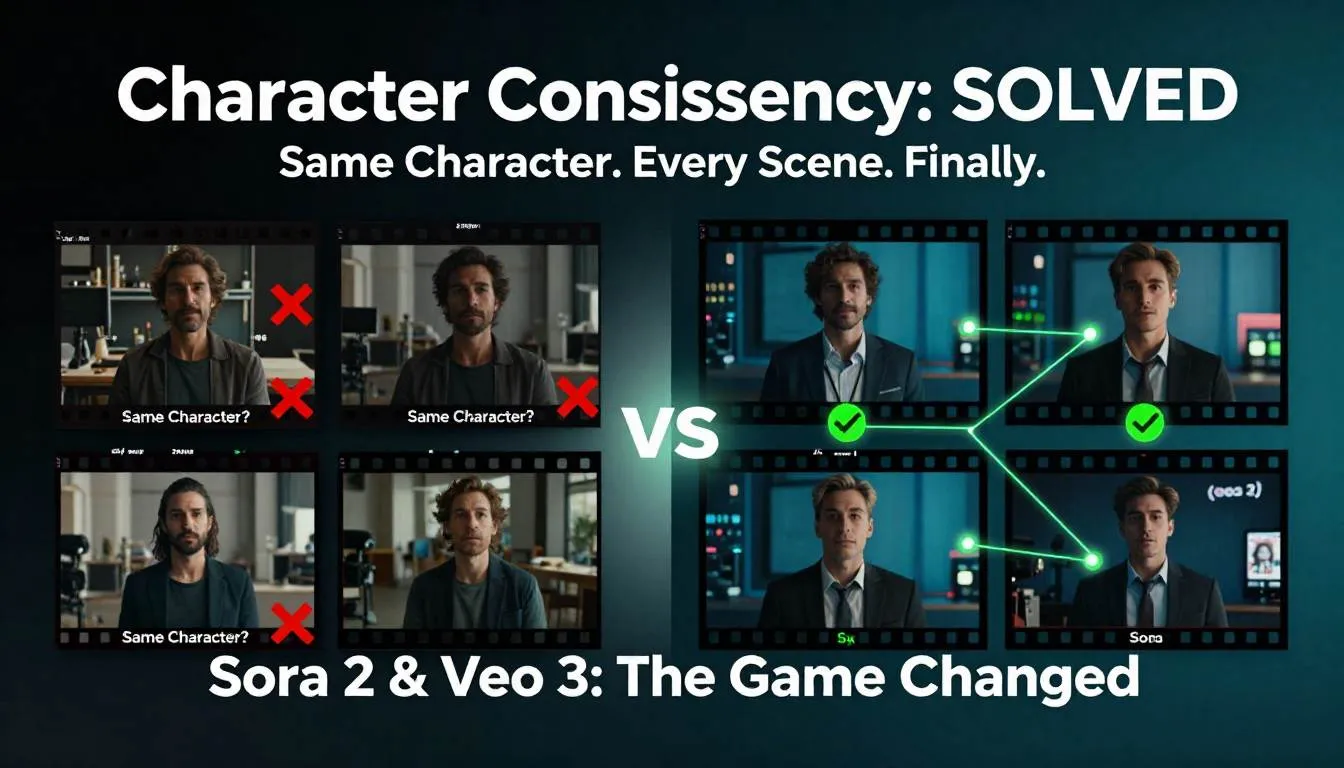
You spent six weeks scripting the perfect product video.
Three characters. Five scenes. A narrative that would make your competitors weep.
Then you generated the first scene with AI video tools and it looked incredible. Cinematic lighting. Perfect composition. Character looked exactly how you imagined.
Scene two? Same character prompt. Completely different person. Different hair. Different face. Different everything.
Your perfect narrative just became five disconnected clips of random people.
You've tried every trick: detailed prompts, reference images, seed numbers, multiple generations hoping for consistency. Sometimes you get close. Most times you waste hours generating dozens of versions, desperately hoping character 1 in scene A somehow matches character 1 in scene B.
Welcome to the character consistency nightmare that's been killing AI video projects since day one.
But something just changed. Dramatically.
Sora 2 Video and Veo 3 didn't just get better at generating pretty clips—they fundamentally solved the character consistency problem that made serious AI Film Production impossible. And the workflows that video editors and creative directors are already using? They're not incremental improvements.
They're a complete reimagining of how video content gets made.
The gap between "AI-generated random clips" and "AI-produced coherent narratives" just collapsed. While everyone else is still celebrating that AI can generate video at all, early adopters are already producing multi-scene stories with Consistent AI Characters that maintain identity across cuts, camera angles, and lighting changes.
This is the inflection point. The moment AI video becomes actually useful for professional work.
The Problem: The Character Consistency Wall That's Been Blocking AI Video
Let's be brutally honest about where AI video has been stuck.
The technology could generate stunning 5-second clips. Gorgeous cinematography. Impressive motion. But the moment you needed anything beyond a single shot? Complete failure.
The Three Impossibilities That Made AI Video Useless for Real Projects
Impossibility #1: Multi-Shot Narratives Were a Pipe Dream
Try creating a simple conversation between two characters:
- Shot 1: Wide angle, both characters
- Shot 2: Close-up, character A speaking
- Shot 3: Close-up, character B responding
- Shot 4: Wide angle, both characters
Basic film grammar. Editing 101.
With previous AI video tools, each generation gave you different-looking characters. You'd end up with 8 different people across 4 shots supposedly showing 2 characters.
The result? Unwatchable. Incoherent. Useless for any narrative work.
Impossibility #2: Visual Effects Shots Required Miracle-Level Luck
Need a character in three different lighting conditions? Different times of day? Different locations?
Generate each scene separately, get three completely different characters.
VFX artists would laugh (then cry) at the idea of using AI for anything requiring visual continuity. You couldn't even maintain costume consistency, let alone facial features, body type, and proportions.
Impossibility #3: Client Work Was Completely Off the Table
Imagine this conversation:
Client: "Love the first scene! For scene two, can we see the same character but walking toward camera instead?"
You: "Sure! That'll take 6-8 hours of trial and error hoping I randomly get something close to the first version. Might not work at all. Still want AI?"
Client: [Hires someone with a camera]
The economic reality: Professional video work requires predictability. AI video offered randomness. Those two things don't mix.
The Creative Limitation That Hurt Most
Here's what really stung for content creators:
You had incredible ideas. Stories that would resonate. Concepts that would go viral. Narratives that would sell products.
But you couldn't execute them because the technology couldn't maintain character identity for more than one shot.
So you fell back to:
- Single-shot clips (limiting)
- Abstract visuals with no characters (safe but boring)
- Text overlays on generic backgrounds (waste of AI's potential)
- Traditional video production (expensive and slow)
The creative freedom AI promised? It was a lie. Until now.
The Breakthrough: How Sora 2 and Veo 3 Solved Character Consistency
Let me show you exactly what changed and why it's a game-changer for video production.
Understanding the Technical Leap
Both Sora 2 Video and Veo 3 Workflows introduced what's called "character binding"—the ability to lock a character's appearance and maintain it across different prompts, angles, lighting, and motion.
How it works (simplified):
Old approach:
Prompt: "Professional woman in office, presenting to team"
Result: Random woman, looks great
Next prompt: "Same woman, close-up, nodding"
Result: Completely different woman
New approach (Sora 2 & Veo 3):
Step 1: Generate or upload character reference
Step 2: Bind character ID to specific appearance
Step 3: Use character ID in all subsequent prompts
Result: Same character across unlimited scenes
This isn't just better—it's fundamentally different.
The Three-Tier Workflow System
Let me break down the exact workflows that are working in production right now.
Tier 1: Basic Character Consistency (Single Scene Variations)
Use case: Product demos, testimonials, talking head content
Workflow:
Step 1: Establish Character
Sora 2 prompt: "Professional Asian woman, early 30s, shoulder-length
black hair, wearing navy blazer, friendly expression, office environment,
natural lighting --character-lock ID_001"
Step 2: Generate Variations
Using ID_001:
- "Close-up, character speaking directly to camera"
- "Medium shot, character gesturing while explaining"
- "Wide shot, character standing by whiteboard"
- "Over-shoulder shot, character reviewing documents"
Result: Four different angles/compositions of the same person that edit together seamlessly.
Real application (Content Creator):
Maria, YouTube Educator: "I needed to create 12 educational videos explaining software features. Previously, I'd film myself 12 times or hire actors. With Sora 2, I created a character once, then generated all 12 videos using that character ID with different scripts and settings. Total time: 8 hours vs. 3 weeks of traditional production."
The unlock: Consistency within a single piece of content.
Tier 2: Multi-Scene Narrative Production
Use case: Brand storytelling, commercials, short films
Workflow:
Phase 1: Character Development
Create a character reference sheet:
Character: "Tech Startup Founder"
- Base prompt with detailed physical description
- Generate 5 reference angles: front, profile, 3/4, action, emotion
- Lock character ID
- Save reference images
Phase 2: Scene Planning
Traditional storyboard approach, but each shot references character ID:
Scene 1 (Establishing): Wide shot, character entering office
          [character_ID: FOUNDER_001]

Scene 2 (Action): Medium shot, character at standing desk working
          [character_ID: FOUNDER_001]

Scene 3 (Conflict): Close-up, character looking concerned at screen
          [character_ID: FOUNDER_001]

Scene 4 (Resolution): Wide shot, character presenting to team
          [character_ID: FOUNDER_001]
Phase 3: Generation with Veo 3
Veo 3 excels at cinematic camera movement and lighting transitions:
Scene 1 prompt: "FOUNDER_001, entering modern office, morning golden
hour light streaming through windows, smooth dolly shot following
character, confident stride, professional attire, 24mm lens, shallow DoF,
cinematic color grading"

Scene 2 prompt: "FOUNDER_001, medium shot at standing desk, ambient
office lighting, character typing intensely, slight push-in camera
movement, focus on character's expression, 50mm lens"

Scene 3 prompt: "FOUNDER_001, tight close-up, concerned expression,
laptop screen reflecting on face, dramatic side lighting, static camera,
emotional moment, 85mm lens, cinematic grade"

Scene 4 prompt: "FOUNDER_001, wide shot with team in background,
character presenting at screen, dynamic presentation gesture, three-point
lighting, slow reveal camera movement, professional environment, 35mm lens"
Result: Four scenes that cut together like they were shot in a traditional production. Same actor. Consistent lighting continuity. Proper scene flow.
Real application (Ad Agency):
Creative Director testimonial: "We pitched a brand campaign concept that would have required a 3-day shoot with a $150K production budget. Client loved it but budget was $40K. We delivered the same creative vision using Veo 3 character-locked workflows. Production time: 4 days. Budget used: $12K (mostly our creative time). Client couldn't tell it was AI-generated until we told them."
The unlock: Complete narratives with character continuity.
Tier 3: Multi-Character Ensemble Production
Use case: Complex narratives, dialogue scenes, multiple perspectives
This is where it gets really interesting.
Workflow:
Phase 1: Character Ensemble Creation
Create and lock multiple characters:
Character A: PROTAG_001 - Lead character, detailed description
Character B: ANTAG_001 - Opposing character, contrasting appearance
Character C: MENTOR_001 - Supporting character, distinctive look
Phase 2: Multi-Character Scene Composition
Sora 2's strength: Generating scenes with multiple characters while maintaining consistency:
Scene: Two-shot conversation

Prompt: "PROTAG_001 and MENTOR_001, coffee shop setting, characters
sitting across from each other, natural conversation, PROTAG_001 speaking
expressively, MENTOR_001 listening intently, warm ambient lighting,
realistic eye contact and interaction, 35mm lens, shallow depth of field
on speakers"
Phase 3: Coverage Shots
Generate traditional film coverage:
- Master shot: Both characters, wide
- Single on A: PROTAG_001 close-up
- Single on B: MENTOR_001 close-up
- Over-shoulder shots: Both directions
- Insert shots: Hands, objects, reactions
All maintaining character consistency across every angle.
Real application (Independent Filmmaker):
Jake, Short Film Director: "I've been trying to make short films for 5 years but couldn't afford proper production. My Veo 3 workflow let me create a 12-minute narrative short with 4 characters across 20+ scenes. Did anyone believe it was AI-generated? No. Did it get into film festivals? Yes. Three so far. This technology just democratized filmmaking."
The unlock: Professional-level multi-character narratives previously impossible without traditional production.
Platform Comparison: Sora 2 vs. Veo 3—Which to Choose?
Both are excellent, but they have different strengths. Here's the real-world breakdown:
Sora 2 Video Strengths:
Best for:
- Photorealistic characters and environments
- Subtle emotional performances and micro-expressions
- Natural human movement and gesture
- Multiple characters interacting in frame
- Longer duration clips (up to 20 seconds stable)
Workflow advantages:
- Better out-of-box character consistency with minimal effort
- More intuitive prompt structure for beginners
- Superior at complex human interactions
Example prompt:
"CHAR_001 and CHAR_002, intimate conversation at dinner table,
CHAR_001 reaches across table to comfort CHAR_002, genuine emotional
moment, natural candlelit ambiance, 50mm lens, warm color grade"
Result: Nuanced emotional scene with consistent characters and believable interaction.
Veo 3 Workflows Strengths:
Best for:
- Cinematic camera movements (dolly, crane, tracking shots)
- Dynamic lighting transitions and time-of-day changes
- Action sequences and fast motion
- Visual effects integration
- Stylized and artistic visuals
Workflow advantages:
- More precise camera control parameters
- Better at maintaining consistency through extreme lighting changes
- Superior motion blur and speed ramping
- Excellent integration with traditional VFX pipelines
Example prompt:
"CHAR_001, dramatic slow-motion walk toward camera, sunset backlight
creating silhouette that gradually reveals character as they approach,
cinematic dolly push-in, lens flare from setting sun, epic moment,
35mm anamorphic feel, orange and teal color grade"
Result: Cinematic shot with complex camera movement and lighting that maintains character consistency through dramatic exposure changes.
Decision framework:
Choose Sora 2 if:
- Your content is character/emotion-driven
- You need multiple characters interacting
- Photorealism is critical
- You're newer to AI video
Choose Veo 3 if:
- Your content is visually-driven with dynamic camera work
- You need extreme lighting or environmental changes
- You're integrating with traditional VFX
- You want maximum cinematic control
Pro tip: Many professionals use both—Sora 2 for dialogue and character moments, Veo 3 for establishing shots and action sequences.
The Practical Production Workflow
Here's the step-by-step process that actually works:
Pre-Production (Day 1-2):
- Script and storyboard (yes, still necessary—AI doesn't eliminate creativity)
- Character design: Create detailed character descriptions
- Generate character references: Establish locked character IDs
- Shot list: Plan every shot with character IDs assigned
Production (Day 3-5):
- Generate master shots first: Wide establishing shots for each scene
- Generate coverage: Close-ups, over-shoulders, inserts
- Generate cutaways and B-roll: Environmental shots, reactions
- Quality control: Review for consistency issues, regenerate problem shots
Post-Production (Day 6-8):
- Edit normally: Treat generated clips like traditional footage
- Color grade for consistency: AI generations might have slight color variance
- Sound design: Add dialogue, music, effects (this part is still traditional)
- Final touches: VFX, graphics, polish
Total production time: 1-2 weeks for what previously required 4-8 weeks and a full crew.
Real-World Production Tips Nobody Tells You
Tip #1: Generate More Than You Need
Even with character consistency, generate 2-3 versions of critical shots. You'll want options in edit.
Buffer factor: Plan for 30% extra generation time.
Tip #2: Lighting Continuity Requires Attention
AI is smart, but it won't perfectly match lighting between shots. In your prompts, be specific about lighting direction and quality:
Bad: "office environment"
Good: "office environment, window camera-left providing key light,
warm overhead practicals creating ambient fill"
Tip #3: Character ID Reference Images Are Gold
After generating your locked character, save clear reference images from multiple angles. Use these to verify consistency and guide subsequent generations.
Tip #4: Plan for Imperfection
Even with locked characters, you'll occasionally get variations (different hair styling, slight costume changes). Plan your edit to minimize these transitions—use cutaways, environment shots, or motion blur to hide small inconsistencies.
Tip #5: The 80/20 Rule Applies
80% of your shots will generate correctly on first or second try. The remaining 20% might take 5-10 attempts. Budget time accordingly.
Common Mistakes That Kill AI Video Projects
Mistake #1: Not Locking Character Details Early
Wrong: Generate scenes, try to maintain consistency with prompts
Right: Lock character appearance first, then generate all scenes
Mistake #2: Over-Relying on AI for Everything
Wrong: Try to generate every single frame, including complex motion graphics or text
Right: Generate character and environment footage, add motion graphics and text in traditional post-production
Mistake #3: Ignoring Traditional Filmmaking Principles
Wrong: "AI can do anything, I don't need to understand composition or editing"
Right: Apply everything you know about cinematography, pacing, and storytelling—AI is a tool, not a replacement for craft
Mistake #4: Skipping Storyboarding
Wrong: Generate scenes as you think of them, hoping they'll cut together
Right: Storyboard thoroughly, plan coverage, shot-list with character IDs
Mistake #5: Expecting Perfection on First Generation
Wrong: Get frustrated when the first attempt isn't perfect, give up on AI
Right: Understand iteration is part of the process, refine prompts based on results
The Creative Possibilities This Unlocks
Let's talk about what becomes possible when character consistency isn't a blocker.
For Video Editors:
-
Client revision requests become trivial: "Can we see this scene from a different angle?" is no longer a $10K reshoot—it's a 15-minute regeneration.
-
Impossible shots become routine: Need a shot that would require a crane, dolly, and $50K? Generate it.
-
Stock footage replacement: Instead of browsing stock libraries hoping to find footage that kind of matches your vision, generate exactly what you need with consistent characters.
For Content Creators:
-
Narrative content at scale: Create character-driven series without the production overhead.
-
Localization with consistent characters: Same character, different language dialogue, generates multiple market versions.
-
Testing creative before committing: Generate complete concepts to test with audiences before investing in traditional production.
For Ad Agency Creative Directors:
-
Concept-to-completion speed: Pitch concepts with actual footage, not just storyboards.
-
Budget flexibility: Deliver high-production-value work on modest budgets.
-
Client presentations: Show the actual creative, not mockups. Higher approval rates.
For Independent Filmmakers:
-
Access to production value: Cinematic visuals previously requiring $100K+ budgets now accessible.
-
Rapid iteration: Test different actors (AI characters), locations, and styles before committing.
-
Distribution-ready content: AI-generated films are being accepted into festivals and distributed commercially.
The Uncomfortable Questions (And Honest Answers)
"Will clients know it's AI-generated?"
Honest answer: Not unless you tell them or they look very closely. The quality gap has effectively closed for most commercial applications. Some filmmakers and agencies disclose, others don't. That's an ethical decision each creator must make.
"What about copyright and ownership?"
Current state (early 2026): Both OpenAI (Sora) and Google (Veo) grant commercial usage rights to generated content on paid plans. You own what you generate. This may evolve—stay current with terms of service.
"Is this going to eliminate traditional video production?"
Real talk: No. But it will significantly reduce certain types of production:
- Will be replaced: Stock footage, simple product demos, repetitive social content
- Will remain traditional: Complex live action, celebrity talent, specific real-world locations, anything requiring authentic human performance
- Hybrid future: Combination—real actors for hero shots, AI for coverage, environments, and impossible shots
"How good is good enough?"
For social media: Already exceeds quality threshold
For broadcast TV commercials: Getting very close (some already airing)
For cinema: Not quite there for critical close-ups, but acceptable for VFX, wide shots, environments
The gap is closing every 3-6 months.
Your Action Plan: Starting This Week
Don't wait for perfection. Start building skills now.
Week 1: Foundation
- Day 1-2: Get access to Sora 2 or Veo 3 (both offer trial plans)
- Day 3-4: Generate your first locked character, experiment with consistency
- Day 5-7: Create a simple 2-shot sequence with the same character
Week 2: Skill Building
- Day 1-3: Generate a 4-shot narrative sequence
- Day 4-5: Experiment with different lighting and camera angles while maintaining character
- Day 6-7: Edit generated clips together, identify consistency issues
Week 3: Real Project
- Day 1-2: Plan a complete short project (30-60 seconds)
- Day 3-5: Generate all footage with locked characters
- Day 6-7: Edit, color grade, finalize
Week 4: Portfolio
- Share your work
- Get feedback
- Identify what worked and what didn't
- Plan your next, more ambitious project
By week 4, you'll have:
- Hands-on experience with AI Film Production workflows
- A completed project showcasing Consistent AI Characters
- Technical understanding of Sora 2 Video or Veo 3 Workflows
- Confidence to take on client work or personal projects
Time investment: 10-15 hours over 4 weeks for skills that could define your next decade of work.
The Reality: This Changes Professional Video Production
Here's what nobody's saying clearly enough:
The barrier to professional-quality video content just collapsed.
Not "lowered." Not "reduced." Collapsed.
Projects that required $50K budgets and 4-week timelines can now be executed for $5K and 1-week timelines with quality that's indistinguishable to most viewers.
This isn't incremental improvement—it's a phase change in the economics and accessibility of video production.
The video editors, content creators, and creative directors who master these workflows in 2026? They'll have an insurmountable advantage over those who wait.
While others are still debating whether AI video is "real" or arguing about authenticity, early adopters are building portfolios, winning clients, and establishing expertise in techniques that will define the industry for the next decade.
The technology is here. The workflows are proven. The question is whether you'll be leading this transition or racing to catch up in 2027.
Character consistency was the final blocker. Now it's solved.
What are you going to create?